How to Set Up a 401(k) and Start Saving With Confidence
Setting up a 401(k) doesn’t have to be confusing. Here’s the step-by-step—from eligibility to your full match—plus the 2026 $24,500 limit.
In This Article
Signing up for a 401(k) feels heavier than it is. The screens use words like elective deferral and vesting, and it’s easy either to freeze or to click through without knowing what you chose. This guide shows you exactly how to set up a 401(k), one step at a time, whatever your starting point.
If your employer offers a plan and you’re not in it yet, start at Step 1 below. If you recently started a job and received an automatic enrollment notice, you may already be contributing — the eligibility section shows you how to check and adjust. If you’re self-employed or your employer offers nothing, your path is different, and the special-situations section is written for you.
Enrolling is a short, finite task: confirm you’re eligible, pick a contribution rate, choose how your money is taxed and invested, and name a beneficiary. Done thoughtfully once, it runs quietly in the background for years.
ℹ️ Financial Disclaimer: This article is general educational information about retirement plans, investing, and taxes — not personalized investment, tax, or financial advice. Contribution limits and rules are current as of the last-reviewed date above and change from year to year. Before deciding how much to contribute, whether to choose Roth or traditional, how to invest, or how a 401(k) affects your taxes, consult a fiduciary financial advisor or a CPA.
When can you enroll — and are you already in?
Two questions come before any paperwork: are you eligible yet, and has your employer already enrolled you automatically? Answering them first keeps you from “signing up” for something you’re already in.
How 401(k) eligibility and waiting periods work
Your plan sets its own eligibility rules within legal limits. Federal law lets a plan require you to be 21 and to finish up to one year of service before you join, though many employers are more generous and let you start on day one. Your Summary Plan Description — the document your HR team or plan website provides — spells out the exact rule for your plan.
One rule changed recently. Under the SECURE 2.0 Act, long-term part-time employees must be allowed to join after two consecutive years of at least 500 hours, down from three years previously.
Auto-enrollment: you may already be contributing
If your employer started its plan on or after December 29, 2022, federal law generally requires it to enroll you automatically. New plans set a default deferral rate between 3% and 10% of pay, and that rate rises by at least 1% each year until it reaches at least 10%. You can read how automatic enrollment works in more detail, or check the IRS rules on automatic enrollment directly.
💡 Expert Note: IRS guidance confirms you are never locked into the default. You can change your rate, pick your own investments, or opt out — and if you act within 90 days of your first automatic contribution, many plans let you withdraw those initial deferrals.
Being auto-enrolled at 3% is a start, not a finish. It often falls short of what you need to capture your full employer match — which the next sections address.
How to enroll in your 401(k) in 6 steps
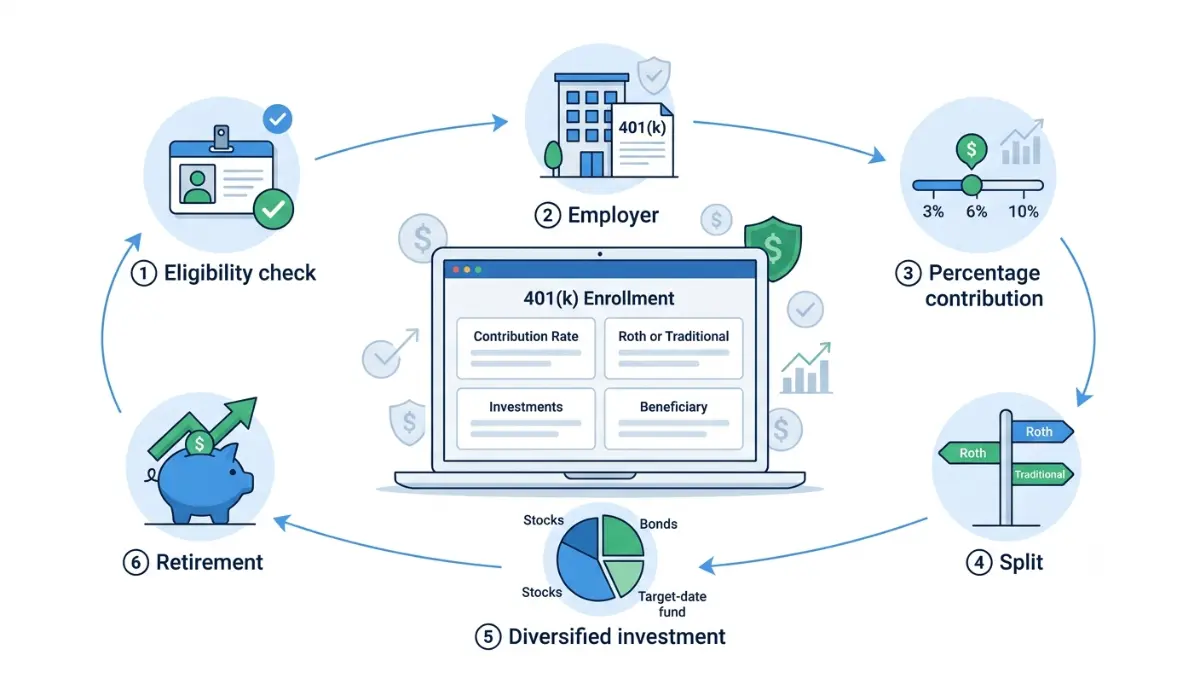
To enroll in a 401(k), complete these six steps. If you were auto-enrolled, these same screens are where you review and change what was set for you.
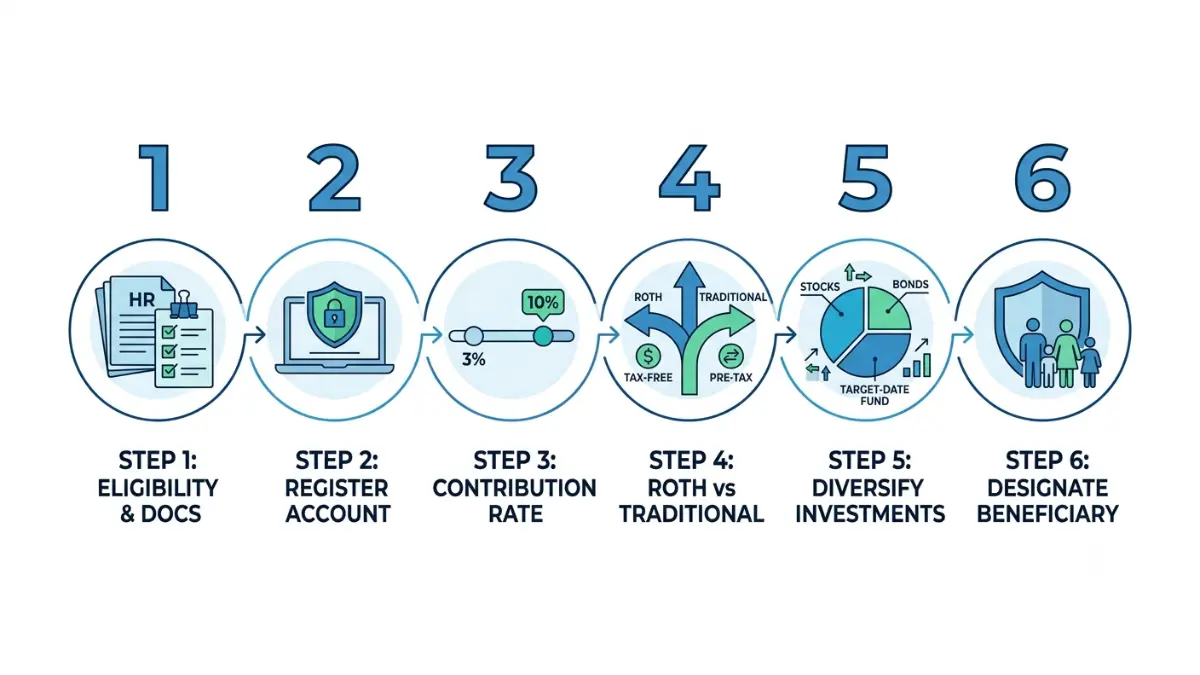
Steps 1–3: Get plan details, create your account, set your rate
- Get your plan details. Ask HR or check your onboarding materials for your plan provider (the recordkeeper — the company that runs the account, such as Fidelity, Vanguard, Empower, or Principal) and the login link.
- Create your account. Register on the recordkeeper’s website or app using the plan ID your employer provides.
- Set your contribution rate. Enter the percentage of each paycheck you want to contribute. How to choose that number comes next.
Steps 4–6: Choose Roth or pre-tax, pick investments, name a beneficiary
- Choose Roth or pre-tax. Decide whether contributions come out before tax (traditional) or after tax (Roth). Many plans let you split between the two.
- Pick your investments. Select from your plan’s menu, or accept the default fund if you’re not ready to choose.
- Name your beneficiary. Enter who should inherit the account. This step is easy to skip and important not to.
That’s the whole process — usually about fifteen minutes. The two steps that make people hesitate, how much to contribute and what to invest in, are exactly what the next sections walk through.
How much should you contribute to your 401(k)?
At a minimum, contribute enough to earn your full employer match; beyond that, a common benchmark is 15% of pay including the match. Those two ideas answer most of the “how much” question.
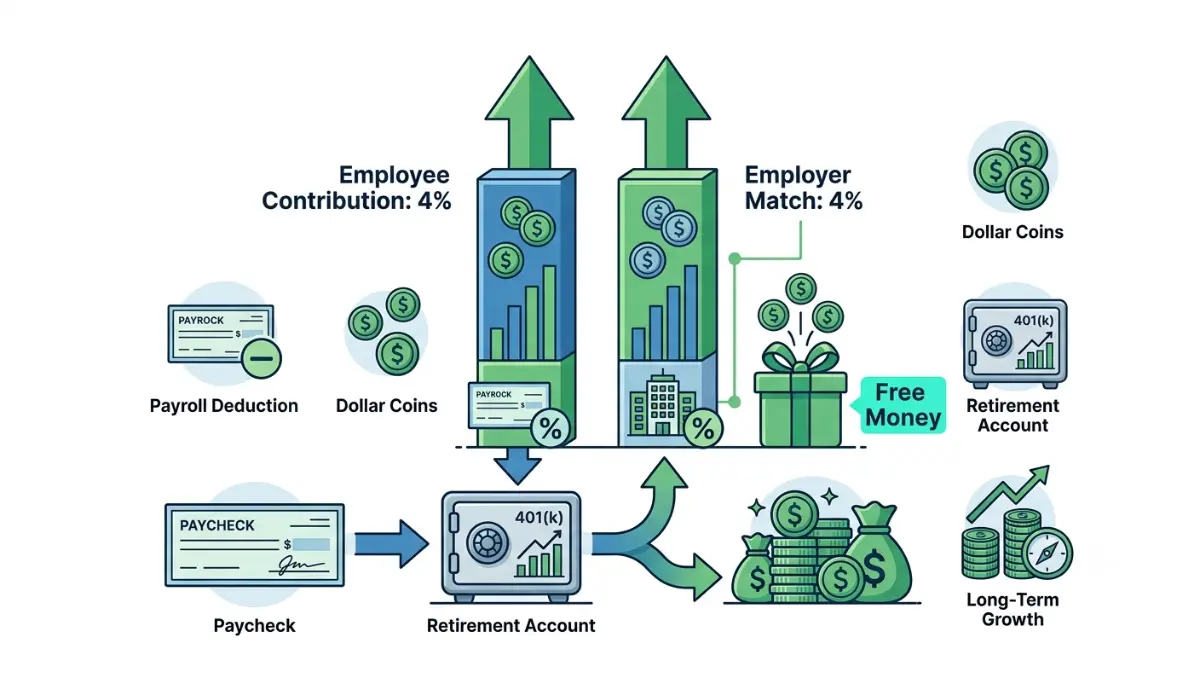
Start here: contribute enough to get the full match
An employer match is the highest-return move in your plan, so capture all of it first.
🔍 How It Works: A match is money your company adds based on what you contribute. A common formula is 100% of the first 4% of pay you defer — so if you earn $60,000 and contribute 4% ($2,400), your employer adds $2,400. Contribute less than 4% and you leave part of that match unclaimed. See how employer matching works for the common formulas.
⚠️ Costly Mistake: If your plan matches 100% of the first 4% and you contribute only 2%, you’re turning down half of a guaranteed 100% return on that money. Nothing else in your plan reliably doubles your contribution the moment you make it.
2026 contribution limits: how much you’re allowed to save
The contribution limit is the ceiling the IRS sets each year, not a target.
📊 Data Point: For 2026, the employee 401(k) contribution limit is $24,500, up from $23,500 in 2025 — Source: IRS, 2026.
| Contribution type (2026) | Limit | Who it applies to |
|---|---|---|
| Employee salary deferral | $24,500 | Everyone |
| Age 50+ catch-up | +$8,000 (→ $32,500 total) | Age 50 and older |
| Ages 60–63 “super” catch-up | +$11,250 (→ $35,750 total) | Ages 60–63 only |
| Combined employee + employer | $72,000 | Overall cap (before catch-ups) |
Source: IRS, Notice 2025-67 (2026 limits).
Most first-time enrollers won’t come close to these numbers, and that’s fine. For the full picture, see the full 2026 contribution limits, and if you’re over 50, how catch-up contributions stack on top. The $72,000 figure is the combined employee-and-employer limit, which includes your employer’s match.
A simple way to find your number
Start at the match, then climb. Say you earn $60,000 and your employer matches 100% of the first 4%: contributing 4% ($2,400) earns the full $2,400 match immediately. From there, raise your rate by 1% each year — often timed to a raise, so you don’t feel it — until you reach your target. You can estimate how your savings could grow at different rates before you commit.
A widely cited benchmark from Fidelity suggests saving about 15% of pay for retirement, including the match. Treat that as a general guideline, not a rule — one that should bend around your budget, high-interest debt, and emergency savings.
Roth or traditional — and what should you invest in?
Two setup choices trip people up more than any others: how your contributions are taxed, and what they’re invested in. Here’s how to think about each without guessing.
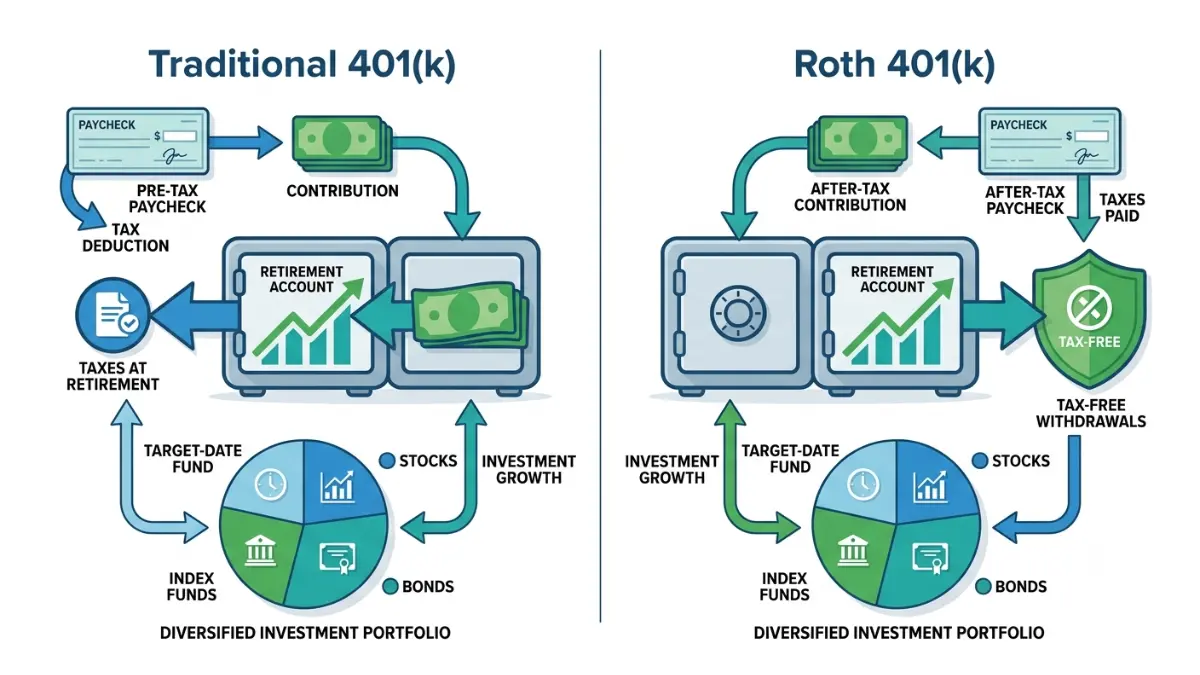
Roth vs. traditional 401(k): pay tax now or later
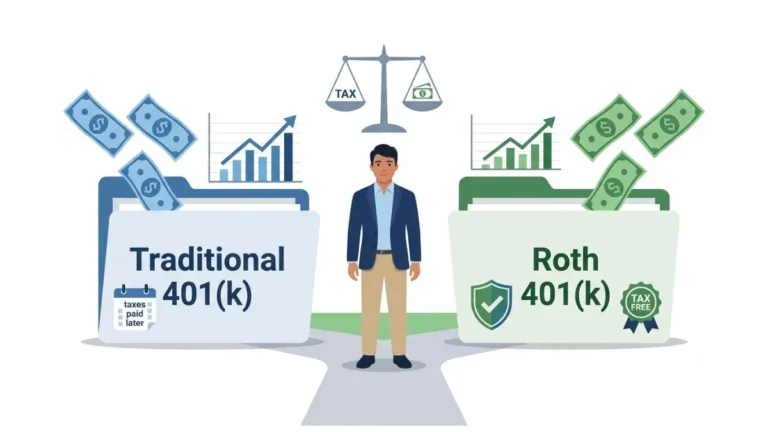
The difference between a traditional 401(k) and a Roth is about timing, not how much you can save.
🔍 How It Works: With a traditional 401(k), contributions come out before income tax, lowering this year’s taxable income; you pay tax later when you withdraw in retirement. With a Roth 401(k), you contribute after tax now, and qualified withdrawals in retirement come out tax-free. Both share the same $24,500 employee limit for 2026 — the choice is when you pay tax, not how much you can put in.
A rough way to frame it: if you expect a higher tax bracket in retirement than today, Roth may fit; if you want the deduction now, traditional may fit. The right answer depends on details this article can’t see, so treat this as a framework, not a recommendation. Roth vs. traditional 401(k) covers the trade-offs in depth.
✅ Action Step: Before your first paycheck deferral, ask a CPA or fiduciary financial advisor one question: “Given my current tax bracket and where I expect it to be in retirement, does pre-tax or Roth make more sense for me this year?”
Choosing investments: why target-date funds are the common default
If you don’t choose investments, your plan usually defaults your money into a target-date fund — the most common qualified default investment alternative. A target-date fund holds a mix of stocks and bonds tied to the year near your expected retirement, and it shifts toward more conservative holdings as that date approaches. It’s a reasonable, low-maintenance starting point, but it isn’t guaranteed and it isn’t automatically right for everyone; how target-date funds work is worth a two-minute read before you decide.
Special cases: no employer plan, auto-enrolled, or changing jobs
Not everyone fits the standard employer path. Here’s where three common situations lead.
No employer plan or self-employed? Your options
If you’re self-employed or your employer offers no plan, you can still save in a tax-advantaged account. A solo 401(k) lets self-employed people contribute as both employee and employer, while an IRA is open to almost anyone with earned income. Deciding whether to fund a 401(k) or IRA first and understanding how a Roth IRA works are the two starting points.
✅ Action Step: If you’re self-employed, ask a CPA which account — a solo 401(k), SEP-IRA, or IRA — fits your income and whether you’ll have employees, before you open one.
Auto-enrolled at a low default? How to adjust it
If you were enrolled automatically, take fifteen minutes to check three things: your contribution rate (is it high enough for the full match?), your investment (a target-date fund, or a low-return default?), and your beneficiary (is one named?). Each is editable on your plan’s website.
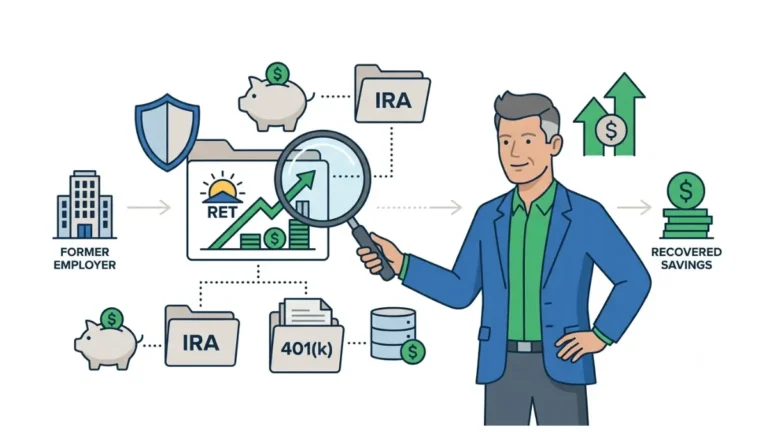
Changing jobs? What happens to your 401(k)
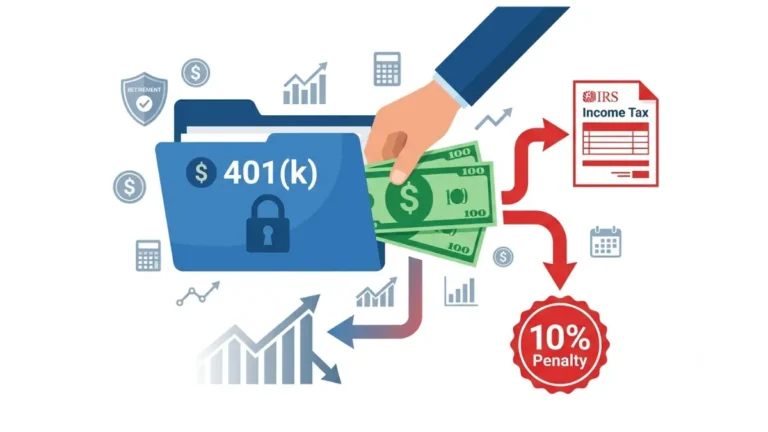
When you leave a job, your 401(k) balance is yours to keep, and you generally have four choices: leave it in the old plan, roll it into your new employer’s plan, roll it into an IRA, or cash it out. Cashing out before retirement usually triggers income tax and an early-withdrawal penalty, so confirm the cost with a CPA before choosing it.
Common 401(k) enrollment mistakes to avoid
A few avoidable errors quietly cost the most. Here’s what to watch for.
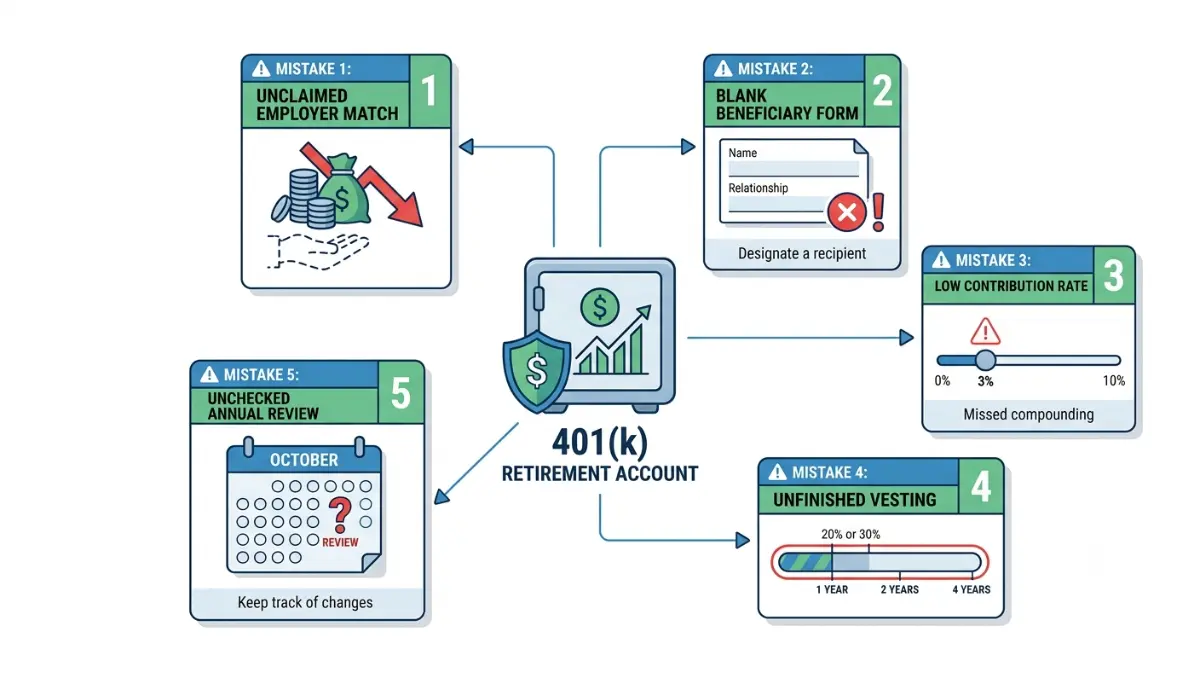
Leaving the employer match on the table
Contributing below the match threshold is the most expensive mistake. If your employer matches up to a certain percentage, contribute at least that much before anything else — it’s the closest thing to guaranteed free money your plan offers.
Skipping the beneficiary designation is the most overlooked. Whoever is named on your 401(k) generally inherits it regardless of your will, so naming and updating a beneficiary matters more than people expect.
Setting it and forgetting it: the low-default trap
Accepting a low auto-enrollment default forever slowly shortchanges you. A 3% default rarely captures the full match; raise it yearly until you hit your target. Ignoring your vesting schedule is another trap — your own contributions are always yours, but employer contributions may take a few years to fully vest, so check your plan’s vesting schedule before counting on that money.
One more, for higher earners: starting in 2026, if you earned more than $150,000 last year, your catch-up contributions must go into a Roth account. The Roth catch-up rule for high earners covers who’s affected and what to do.
Frequently asked questions about setting up a 401(k)
1. How do I sign up for my company 401(k)?
To set up a 401(k), log in to your plan’s website, confirm you’re eligible, choose a contribution percentage, select whether contributions are pre-tax or Roth, pick your investments, and name a beneficiary. Your HR team or plan administrator can send the enrollment link if you don’t have it.
2. How much of my paycheck should go to my 401(k)?
At a minimum, contribute enough to earn your full employer match, since that portion is essentially free money. Beyond that, a common benchmark from Fidelity is saving around 15% of pay including the match. A fiduciary advisor can help you set a rate that fits your full budget.
3. What is the 401(k) limit for 2026?
For 2026, you can contribute up to $24,500 as an employee. If you’re 50 or older, you can add an $8,000 catch-up for $32,500 total; those aged 60 to 63 can add $11,250 for $35,750, according to the IRS.
4. Should I choose Roth or traditional 401(k)?
A traditional 401(k) lowers your taxable income now and is taxed when you withdraw; a Roth 401(k) is funded with after-tax money and withdrawn tax-free in retirement. Both share the same $24,500 employee limit for 2026. Ask a CPA which fits your tax situation.
5. What should I invest my 401(k) in?
If you don’t pick investments, many plans default you into a target-date fund tied to your expected retirement year, which shifts toward more conservative holdings over time. It’s a reasonable low-maintenance starting point, not a guarantee. A fiduciary advisor can confirm whether it suits your goals and risk tolerance.
6. Am I automatically enrolled in my 401(k)?
Possibly. If your employer started its plan on or after December 29, 2022, federal law generally requires automatic enrollment at a default rate between 3% and 10% of pay. You can always change the rate, choose your own investments, or opt out through your plan’s website.
7. When can I enroll in my 401(k)?
It depends on your plan’s rules. Federal law lets a plan require you to be 21 with up to a year of service, though many let you join sooner. Long-term part-time employees qualify after two years of 500-plus hours. Check your Summary Plan Description for your plan’s rule.
8. Can I set up a 401(k) if I’m self-employed?
Yes. Self-employed people can open a solo 401(k) and contribute as both employee and employer, often allowing larger contributions than a standard IRA. Choosing between a solo 401(k), SEP-IRA, or IRA depends on your income and whether you have employees, so confirm the fit with a CPA.
9. What happens to my 401(k) if I change jobs?
Your balance stays yours. You generally have four options: leave it in the old plan, roll it into your new employer’s plan, roll it into an IRA, or cash it out. Cashing out early usually triggers taxes and a penalty, so confirm the cost with a CPA first.
10. Do I need to name a beneficiary?
Yes. Your 401(k) beneficiary generally inherits the account directly, often regardless of what your will says, which is why naming one during enrollment matters. You can add or update your beneficiary anytime through your plan’s website, and it’s worth reviewing after major life events.
11. Can I change my 401(k) contribution after I enroll?
Yes, at any time. Log in to your plan’s website and adjust your contribution percentage; the change typically takes effect on an upcoming paycheck. Many people raise their rate by 1% each year or after a raise to build toward their target without feeling the difference.
Your next step
Enrolling in a 401(k) comes down to five moves: confirm you’re eligible, enroll in six steps, capture your full employer match, choose how your money is taxed and invested, and name a beneficiary. If you were auto-enrolled, the same screens are where you raise a low default and fix your investment.
Do one thing this week: log in and make sure you’re contributing at least enough to get every dollar of your match. From there, you can see how your balance compares by age and nudge your rate up over time. Specific tax and investment choices are worth a conversation with a CPA or fiduciary advisor — but getting the match is the win that’s yours today.
Informational disclaimer
The content on Finance Authority Hub is provided for general informational and educational purposes only and should not be considered personalized financial, investment, tax, legal, or professional advice. Financial decisions depend on your individual goals, income, risk tolerance, location, and regulatory situation. Before acting on any information, strategy, estimate, or calculator result, consult a qualified licensed professional who can evaluate your specific circumstances.