Understanding Your 401(k) Auto-Enrollment Options
Auto-enrolled in a 401(k) and not sure why? SECURE 2.0 signs new hires up at a 3%–10% default—here’s what it means and how to change it.
In This Article
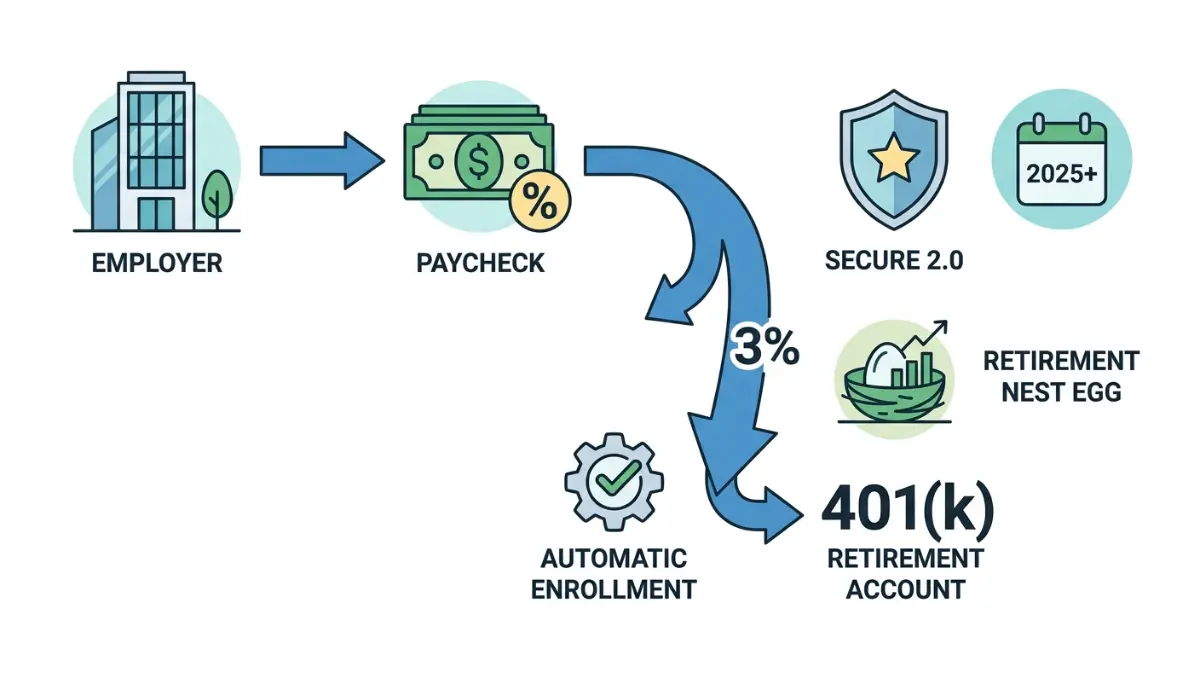
If your paycheck recently shrank or you received a 401(k) enrollment notice you never signed up for, you’re not alone — and nothing has gone wrong. A federal law called the SECURE 2.0 Act now requires many new workplace retirement plans to sign eligible employees up for automatic enrollment unless they choose to opt out.
This guide is written for three readers. If you’re a new employee who was enrolled without choosing it, you’ll learn exactly what happened and what to do next. If you’re weighing whether to stay in or opt out, you’ll get the real numbers to decide. And if you run a business, you’ll find out whether the rule even applies to you.
We’ll answer the three questions people ask most: Can I stop it? How much is coming out of my check? And where does the money actually go? Every figure below is verified against the IRS and the U.S. Code.
ℹ️ Financial Disclaimer: This article explains retirement, investment, and tax rules for general educational purposes only. It is not personalized investment, tax, or retirement advice, and the right choice depends on your income, budget, and goals. Contribution limits, tax rules, and federal regulations change over time. Before making decisions about your 401(k) — including opting out, changing your contribution rate, or choosing investments — consult a fiduciary financial advisor or a CPA. Figures are current as of the last-reviewed date and verified against IRS and other primary sources.
What 401(k) auto-enrollment is and why it’s happening now
401(k) automatic enrollment is a plan feature that signs eligible employees up to contribute a set percentage of their pay to a workplace retirement plan by default — you are enrolled unless you actively opt out. Under Section 101 of the SECURE 2.0 Act, most new 401(k) and 403(b) plans must now include it.
The law added a new section to the tax code (IRC Section 414A) requiring these plans to use what’s called an “eligible automatic contribution arrangement.” The requirement applies to plan years beginning after December 31, 2024 — so for most workers, it took effect in 2025.
🔍 How It Works: “Automatic” doesn’t mean permanent. The plan starts your contributions at a default rate, but you keep full control — you can change the percentage or stop it entirely at any time. The default is simply what happens if you do nothing.
One detail explains why it hit you but maybe not your friend down the street: the mandate applies only to new plans. Plans that existed before the law took effect are treated differently, which is where most confusion comes from. Note, too, that the IRS is still finalizing the detailed regulations, so some fine points may shift.
Does every employer have to auto-enroll employees?
No. The requirement applies only to 401(k) and 403(b) plans established after December 29, 2022. Plans created before that date are “grandfathered” and exempt — though many of them choose to auto-enroll anyway, because the practice has been legal and popular since 2006. If your employer’s plan is older, any auto-enrollment you see is a choice they made, not a mandate.
Are new or small businesses required to auto-enroll?
Several exemptions apply. Under Section 414A, the mandate does not cover businesses that normally employ 10 or fewer people, businesses less than three years old, church plans, governmental plans, or SIMPLE plans. Once a small business grows past 10 employees, it gets a grace period before the rule kicks in. If you own one of these businesses, you’re free to offer auto-enrollment voluntarily, but you aren’t forced to.
How much auto-enrollment takes from your paycheck
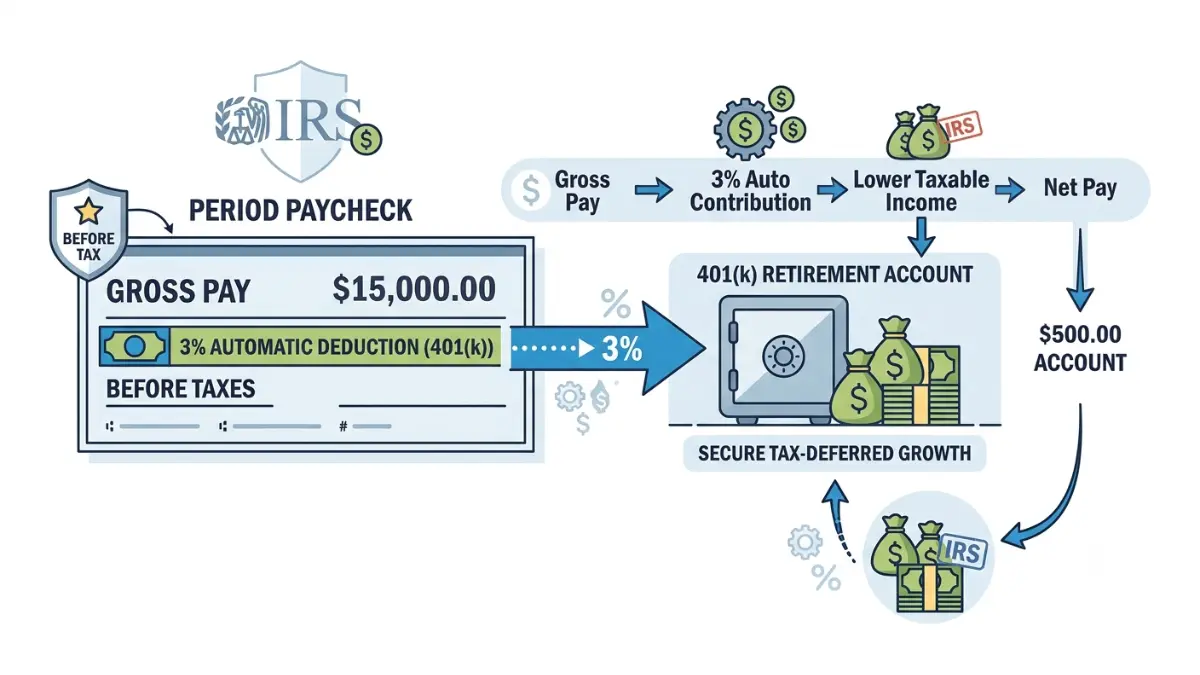
Under SECURE 2.0, new plans must automatically enroll employees at a default contribution rate of at least 3% and no more than 10% of pay in the first year. That rate then rises automatically by 1 percentage point each year until it reaches at least 10%, but no more than 15%.
🔍 How It Works: The yearly 1-point step-up is called auto-escalation. If your plan starts you at 3%, you’d move to 4% the next year, 5% the year after, and so on, until you hit the plan’s ceiling. It’s designed to raise your savings gradually, without you having to remember to do it.
The default rate and what it means in dollars
A percentage is abstract, so here is what it looks like on a real salary. The table below shows a worker earning $50,000, contributing pre-tax, across the first three years of escalation.
| Year | Default rate | Annual contribution | Per biweekly paycheck |
|---|---|---|---|
| Year 1 | 3% | $1,500 | ~$57.69 |
| Year 2 | 4% | $2,000 | ~$76.92 |
| Year 3 | 5% | $2,500 | ~$96.15 |
Illustration only. Assumes a $50,000 salary, 26 pay periods, and pre-tax contributions; excludes any employer match.
Why your take-home pay drops by less than you’d expect
If your contributions are pre-tax (traditional), the actual dip in your take-home pay is smaller than the numbers above, because pre-tax contributions lower your taxable income. In other words, part of what leaves your paycheck would otherwise have gone to taxes. To see the effect on your own income, you can run the figures through a take-home pay calculator before deciding whether the amount fits your budget.
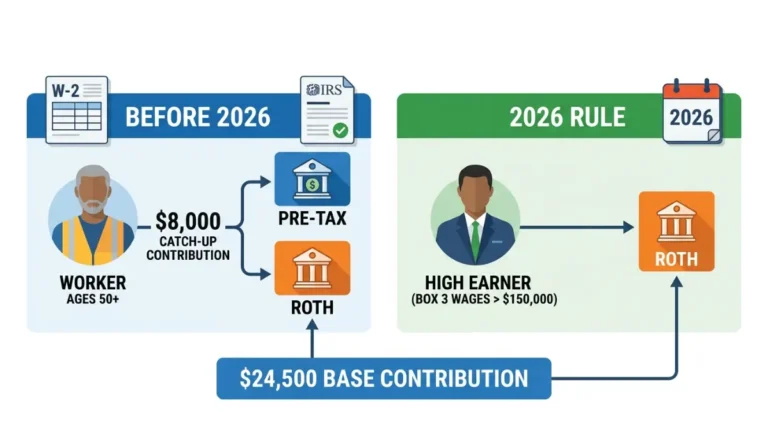
📊 Data Point: The 2026 employee contribution limit for a 401(k) is $24,500, up from $23,500 in 2025 — Source: IRS, Notice 2025-67 (November 2025).
Whatever rate you land on, your contributions count toward that annual ceiling. You can read the full breakdown of the 2026 401(k) contribution limits, and the official figures are published in the IRS announcement of the 2026 limits.
How to opt out, lower your rate, or get your money back
You can opt out of automatic enrollment at any time — you are never locked in. Here’s how, in three steps:
- Log into your retirement plan portal, either through your employer’s benefits site or the plan’s recordkeeper.
- Find your contribution settings (sometimes labeled “deferral rate” or “contribution rate”).
- Set your rate to 0% to stop contributions, or enter a different percentage to raise or lower them.
Opting out stops future money from leaving your paycheck. It does not, by itself, return what has already been contributed — that’s handled by a separate rule.
The 90-day window to reclaim auto-deducted money
Many auto-enrollment plans include a permissible withdrawal feature. Within 90 days of your first automatic contribution, you can request that the money already deducted be returned to you, along with any earnings on it. This exists specifically for people who were enrolled by default and didn’t want to be.
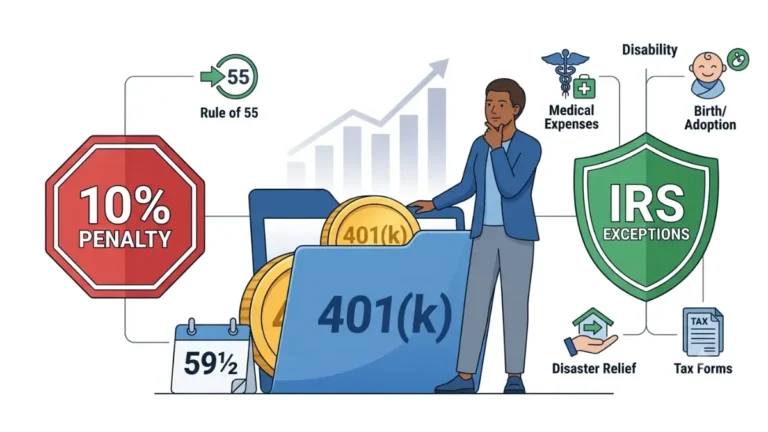
The amount you take back is generally treated as income for that tax year, but it avoids the 10% early-withdrawal penalty that normally applies to early 401(k) distributions.
✅ Action Step: Before using the 90-day withdrawal, ask a CPA: “If I take a permissible withdrawal of my auto-enrolled contributions, how will it be taxed in my situation, and is there any penalty?” The answer depends on your income and state.
Before you opt out, check one thing first
There’s a strong reason not to opt out on reflex, and it comes down to your employer’s match. If money is tight right now, it’s worth first testing whether the contribution fits by mapping it in a 50/30/20 budget planner — the amount may be smaller than it feels once it’s in context.
⚠️ Costly Mistake: Opting out entirely to protect your take-home pay can mean walking away from your employer’s matching contributions — money you’d otherwise keep. We break down exactly what that costs in the next two sections.
Where your auto-enrolled money actually goes
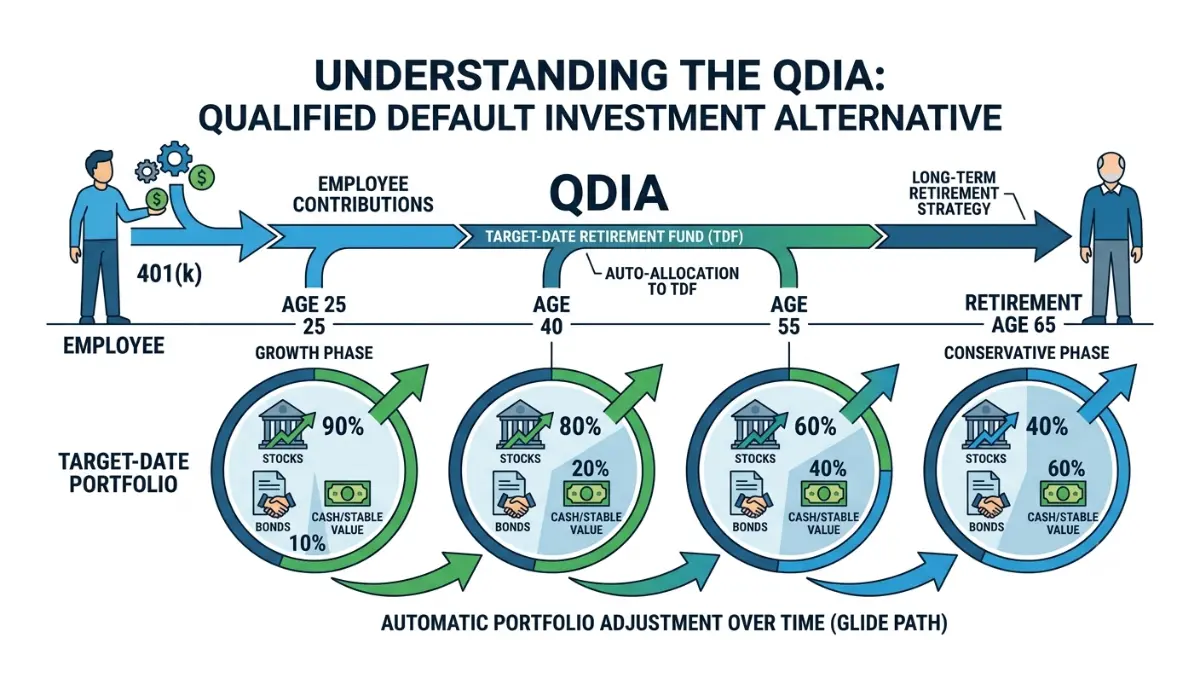
When you’re auto-enrolled and don’t choose your own investments, your contributions flow into the plan’s default option — known as a qualified default investment alternative, or QDIA. In the overwhelming majority of plans, that default is a target-date fund.
📊 Data Point: Among plans that designate a default investment, 98% use target-date funds as the QDIA — Source: Vanguard, How America Saves 2026.
The default investment (QDIA), explained
A QDIA is simply the investment your money lands in automatically until you decide otherwise. Federal rules require these defaults to be diversified and built for long-term growth rather than left in cash. That’s why a target-date fund, rather than a single stock or a savings account, is the standard choice.
What a target-date fund is and how it works
🔍 How It Works: A target-date fund holds a mix of stocks and bonds tied to the year you expect to retire — for example, a “2060 Fund.” As that year approaches, the fund automatically shifts toward more conservative holdings, a path the industry calls a glide path. It handles the rebalancing for you.
These funds aren’t guaranteed, and the target year is a starting assumption, not a personalized recommendation. The SEC’s investor bulletin on target-date funds notes that even if you plan to retire in a given year, a fund with an earlier or later date may suit your risk tolerance better. Whether your contributions default to pre-tax or Roth also depends on the plan; the trade-offs are covered in our guide to Roth versus traditional 401(k) contributions.
✅ Action Step: Ask a fiduciary financial advisor: “Is my plan’s default target-date fund appropriate for my age, risk tolerance, and other savings, or should I choose different investments?”
Does staying enrolled actually pay off?
The research on automatic enrollment is consistent: it gets far more people saving, and it does so without hurting their long-term discipline. The question for you is whether staying in is worth the hit to your paycheck — and the data leans strongly toward yes.
📊 Data Point: Participation in workplace retirement plans has reached a record 86% of eligible employees, up from 65% about 25 years ago — Source: Vanguard, How America Saves 2026.
What the data shows about auto-enrolled savers
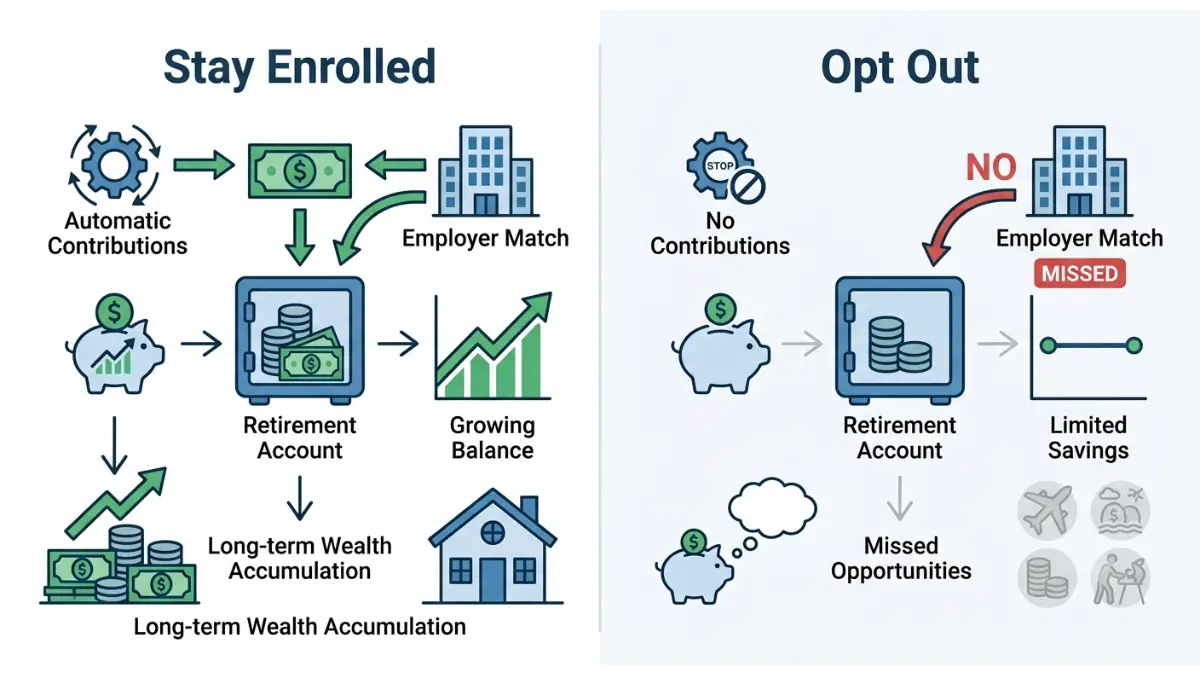
Getting started early is most of the battle. Vanguard’s research finds that auto-enrolled participants who’ve been with their plan for a decade or more hold median balances roughly 60% higher than those in voluntary-enrollment plans — largely because they were saving from their very first year. You can see how your own savings compare using our breakdown of the average 401(k) balance by age.
The employer match: don’t leave free money behind
This is the single biggest reason not to opt out reflexively. If your plan offers a match, your employer adds money on top of what you contribute — but only if you’re contributing.
📊 Data Point: The average employer matching contribution reached 4.7% of pay — Source: Vanguard, How America Saves 2026.
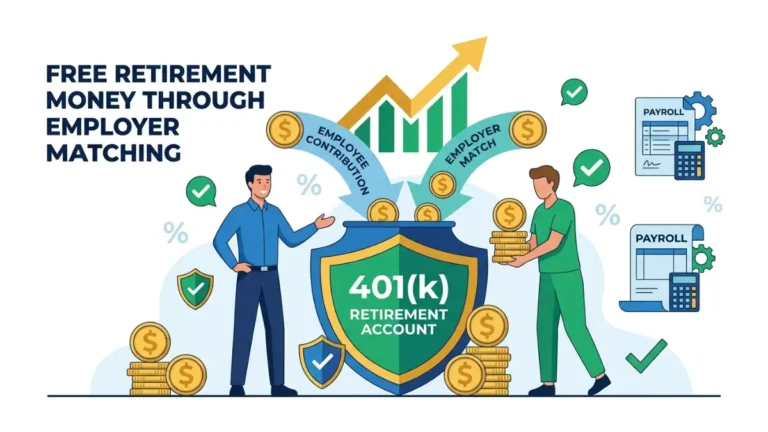
Consider a worker earning $50,000 whose employer matches dollar-for-dollar up to 4% of pay. Staying enrolled at 4% captures up to $2,000 a year in employer money; opting out entirely forfeits all of it. That’s compensation you’ve already earned, left unclaimed. Our guide to how employer matching works explains the common formulas.
Is the 3% default enough? A floor, not a plan
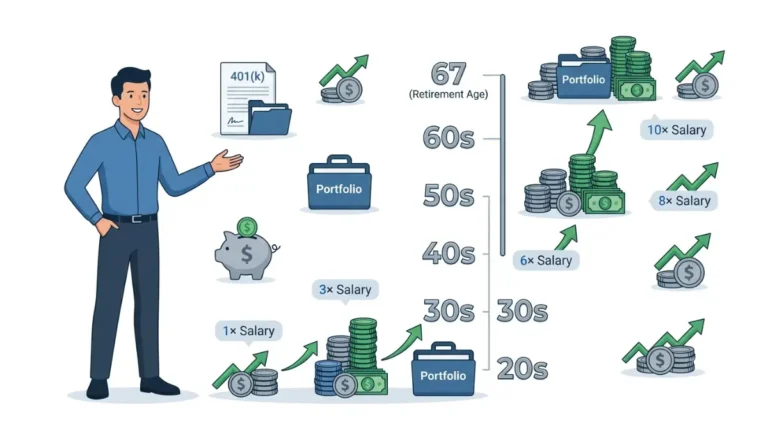
Being auto-enrolled is a head start, not a finished retirement plan. Vanguard’s research points toward a total savings rate closer to 12%–15% for most workers, which means a 3% default is a starting floor to build on over time. A good next step is figuring out how much to contribute to your 401(k) for your own goals.
✅ Action Step: Ask a fiduciary advisor: “Given my budget and my employer’s exact match formula, what contribution rate makes the most sense for me right now?”
5 auto-enrollment mistakes that quietly cost you
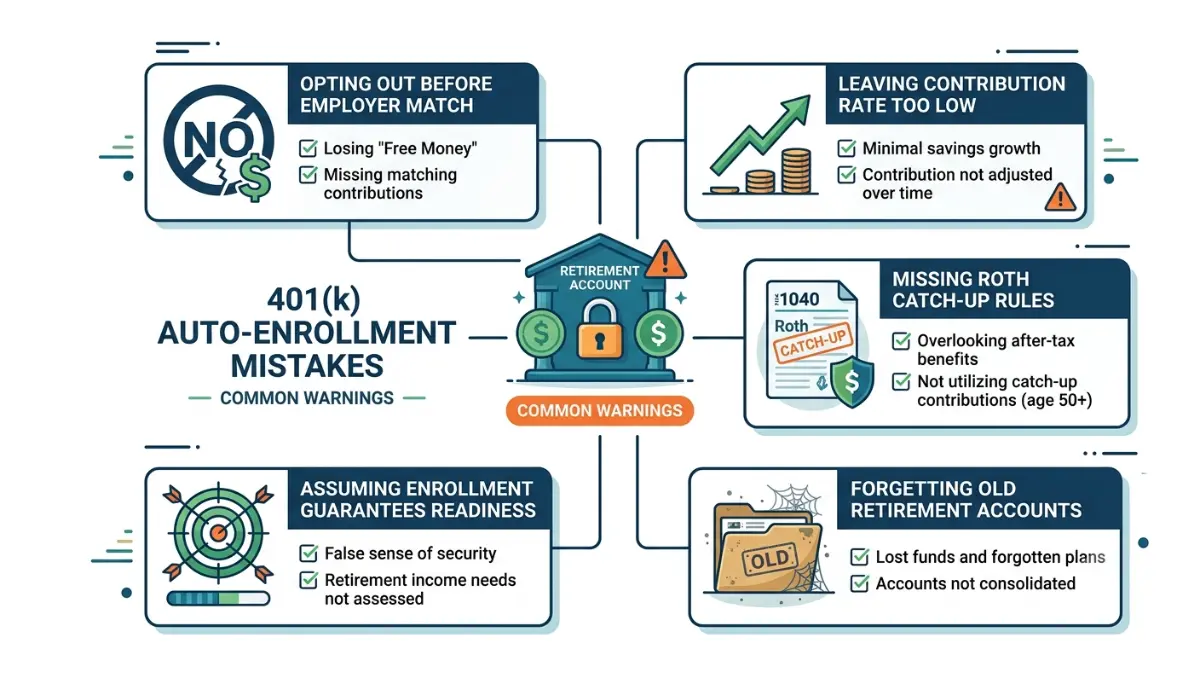
Auto-enrollment is designed to help, but a few easy-to-miss traps can undercut it. These are the ones worth watching for.
- Opting out below the match. Dropping to 0% to boost your paycheck forfeits your employer’s matching contributions — the clearest example of leaving free money behind.
- Leaving the default rate too low. A 3% start is a floor, not a target. If you never raise it, you may fall short of what you’ll need.
- Missing the new Roth catch-up rule. Starting in 2026, if your prior-year Social Security (FICA) wages topped $150,000, any catch-up contributions you make at age 50 or older must go into a Roth account. The details are in our guide to the Roth catch-up rule for high earners.
- Forgetting small balances when you change jobs. Auto-enrolled accounts from past employers are easy to lose track of. SECURE 2.0’s auto-portability provisions can help move small balances to your new plan.
- Assuming you’re “on track.” Being enrolled tells you nothing about whether you’re saving enough. Treat it as a beginning, and revisit your rate as your income grows.
⚠️ Costly Mistake: Your employer’s match may be subject to a vesting schedule, meaning it isn’t fully yours until you’ve worked there long enough. Leaving a job early can forfeit unvested matching money.
✅ Action Step: If you’re a higher earner, ask a CPA: “Do the new Roth catch-up rules apply to me this year, and how should I adjust my contributions?” The current thresholds are confirmed in the IRS retirement plan contribution limits.
Frequently asked questions
1. What is 401(k) auto-enrollment under SECURE 2.0?
401(k) auto-enrollment is a feature that signs eligible employees up to contribute a percentage of their pay automatically, unless they opt out. Under Section 101 of the SECURE 2.0 Act, most 401(k) and 403(b) plans created after December 29, 2022 must include it, starting with plan years after December 31, 2024.
2. What is the default auto-enrollment contribution rate?
New plans must set a default contribution rate of at least 3% and no more than 10% of your pay in the first year. That rate then increases by 1 percentage point each year until it reaches at least 10% but no more than 15%, unless you choose your own rate instead.
3. Can I opt out of automatic enrollment?
Yes. Auto-enrollment never locks you in — you can opt out at any time by logging into your plan portal and setting your contribution rate to 0%. You can also raise or lower the percentage whenever you want. Opting out stops future contributions from leaving your paycheck.
4. Can I get back money that was already auto-deducted?
Often, yes. Many auto-enrollment plans let you request a permissible withdrawal within 90 days of your first contribution, returning what was deducted plus earnings. It’s generally taxed as income that year but avoids the 10% early-withdrawal penalty. Confirm the tax treatment for your situation with a CPA.
5. Where is my auto-enrolled 401(k) money invested?
If you don’t choose investments, your auto-enrolled money goes into the plan’s default option, called a QDIA — almost always a target-date fund matched to your expected retirement year. These funds hold a diversified mix that grows more conservative over time. Ask a fiduciary advisor whether the default suits your goals.
6. Does every employer have to auto-enroll employees?
No. The SECURE 2.0 auto-enrollment mandate applies only to 401(k) and 403(b) plans established after December 29, 2022. Plans that existed before that date are grandfathered and exempt, though many still choose to auto-enroll. Governmental, church, and SIMPLE plans are also excluded.
7. Is the 3% default enough for retirement?
Usually not on its own. The 3% default is a starting floor, not a full retirement plan — Vanguard’s research points toward a total savings rate closer to 12%–15%. Raising your rate over time, especially up to your employer’s match, makes a large difference. Consult a fiduciary advisor about the right target.
8. Will my contribution rate increase automatically each year?
Yes, in most auto-enrollment plans. Your default contribution rate rises automatically by 1 percentage point each year until it reaches at least 10% but no more than 15%. You can turn off this auto-escalation or set your own rate at any time through your plan portal.
9. Does auto-enrollment affect my employer match?
It can help you capture it. If your plan offers a match, staying enrolled at least up to the match threshold means you collect that money; opting out below it forfeits the match. The average employer match is 4.7% of pay, according to Vanguard. Check your plan’s specific formula.
10. Are new or small businesses required to auto-enroll?
Not always. Businesses that normally employ 10 or fewer people and companies less than three years old are exempt from the auto-enrollment mandate, along with church and governmental plans. Once a small business grows past 10 employees, it gets a grace period before the requirement applies.
11. Is my auto-enrolled contribution pre-tax or Roth?
It depends on your plan’s design — auto-enrolled contributions may default to pre-tax (traditional) or Roth. Pre-tax lowers your taxable income now; Roth is taxed now but withdrawn tax-free later. Check your plan portal to see which applies. A CPA can help you weigh the two.
The bottom line
Automatic enrollment flips the old default: instead of having to sign yourself up, you’re saving from day one unless you choose otherwise. That’s a genuine head start, and the data shows auto-enrolled savers with long tenure tend to build meaningfully larger balances.
You’re still in control. You can opt out, lower your rate, reclaim early contributions within the 90-day window, or stay in and let it build. The one move that quietly costs the most is opting out below your employer’s match, which leaves earned money on the table.
Before you decide, model what the default rate could grow into with a 401(k) growth calculator, and if your situation is complex, bring specific questions to a fiduciary advisor.
Informational disclaimer
The content on Finance Authority Hub is provided for general informational and educational purposes only and should not be considered personalized financial, investment, tax, legal, or professional advice. Financial decisions depend on your individual goals, income, risk tolerance, location, and regulatory situation. Before acting on any information, strategy, estimate, or calculator result, consult a qualified licensed professional who can evaluate your specific circumstances.